Direct Deposit
How to Setup a Refund Method in TouchNet
1: Log into myWSU and select the Financial Account tile
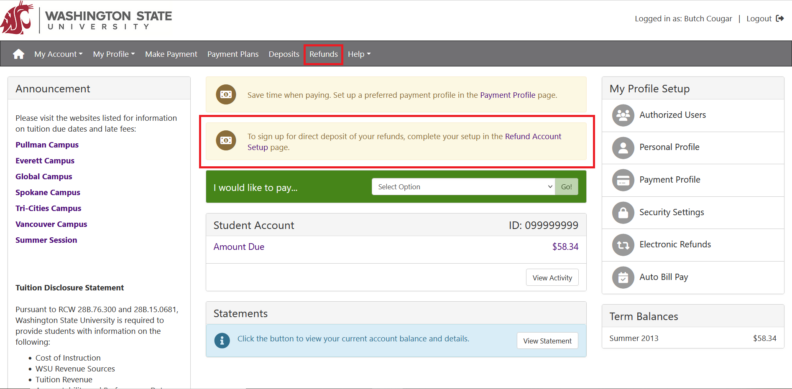
2: Select the Refunds link or the Refund Account Setup link
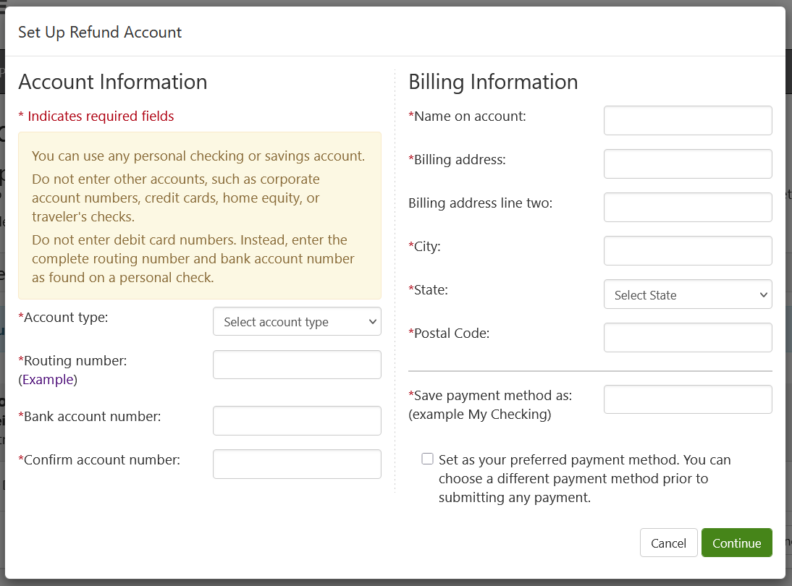
3: A pop-up window will open where you can enter the account details for where you want your refund to go – Enter your information.
Required fields include:
- Account type
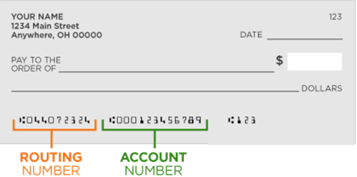
- Routing number
- Bank account number
- Confirm account number
- Name on account
- Billing address
- City
- State
- Postal Code
- Name of the payment method, e.g. “Checking”
4: Select Continue
5: Review the bank account details on the next screen and select the I Agree checkbox
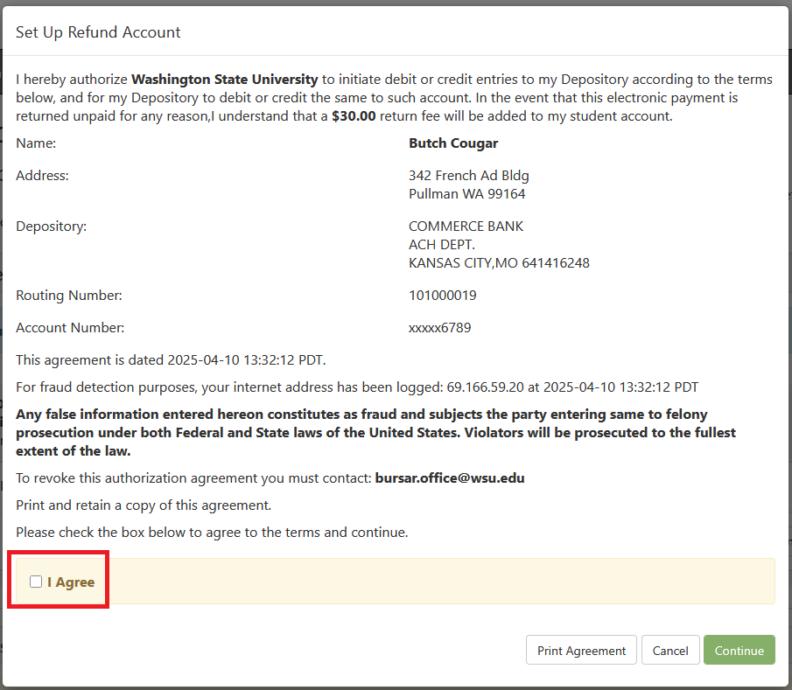
6: Select Continue
7: A confirmation page will display upon completion
